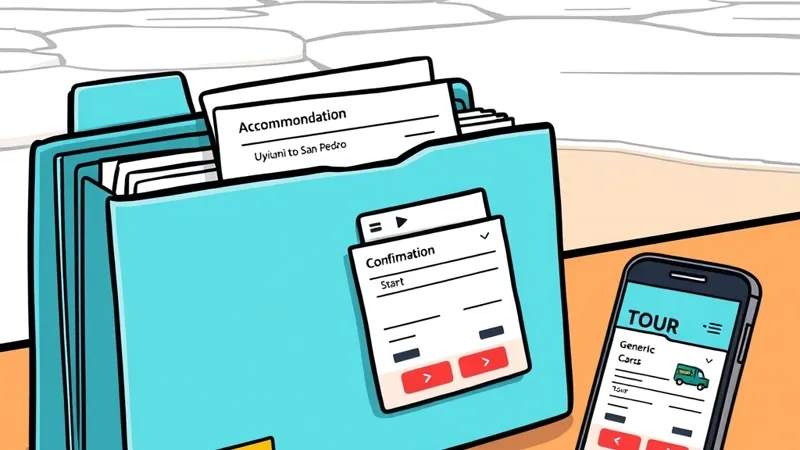
Keeping Uyuni Tour Documents and Confirmations Organised
Keep your Uyuni booking details, pickup updates and connecting travel records together, with clear route labels and offline copies.
October 31, 2026
How should you organise Uyuni tour documents and confirmations?
Keep your selected offer, booking confirmation, pickup instructions, contact details and related accommodation or transport confirmations in one clearly labelled trip folder, with an offline copy for reference. Put a short summary at the front showing the route direction, booked date, starting point and endpoint. This is an organisational checklist, not a statement of official travel-document requirements.
Build the folder around the journey you actually booked rather than a broad label such as “Uyuni tour”. A day trip returning to Uyuni needs a different summary from a tour continuing to San Pedro de Atacama. Separate entries make it easier to see where one booking ends and the next begins.
Which booking details should your Uyuni trip folder contain?
Use this compact Uyuni tour confirmation checklist for each booking:
- Booking reference and the selected product name.
- Selected option, including any choices recorded during booking.
- Travel date and traveller names as recorded.
- Starting point, endpoint and route direction.
- Provider contact details and any booking-platform contact supplied.
- Instructions included with the confirmation, especially pickup and voucher presentation.
- The selected offer’s stated inclusions and exclusions.
- Applicable change or cancellation terms.
- Later correspondence about that booking.
Save the selected offer alongside the confirmation rather than relying only on a general product link. Label that saved copy with its date so you can distinguish it from subsequent information.
Keep terms attached to the booking they concern. Do not assume that a cancellation condition, accommodation inclusion or transfer arrangement from one tour applies to another. Where a detail is missing, mark it as needing clarification instead of filling the gap from a similar listing.
How can you keep different Uyuni route confirmations separate?
Use three distinct route labels rather than treating all salt-flat bookings as interchangeable:
- Uyuni day trip — Uyuni to Uyuni. Keep the departure and return details together. The GetYourGuide day-trip listing advertises a trip starting and returning in Uyuni, with the salt flat and Colchani in its published itinerary. Confirm the selected departure conditions rather than treating those stops as guaranteed. The corresponding My Uyuni route page is Uyuni one-day tours.
- Uyuni to San Pedro de Atacama — onward journey. Record San Pedro as the endpoint only if your selected confirmation specifies it. The GetYourGuide Uyuni-to-San-Pedro listing advertises a three-day product combining the salt flat, highland lagoons, overnight accommodation and a Chilean-border transfer. Keep the selected accommodation and transfer details with this booking. See the Uyuni-to-San-Pedro route page.
- San Pedro departure circuit — endpoint to confirm. Make the starting town prominent and copy the booked endpoint explicitly. The GetYourGuide San-Pedro-start circuit listing advertises a four-day product distinct from the Uyuni-to-Chile offer. Check its selected endpoint and return-transfer details; do not infer them from the word “circuit”. The related page is San Pedro–Uyuni four-day tours.
These are examples of distinct advertised products, not interchangeable itineraries. If you have not chosen a direction, use the route comparison before creating your final trip summary.
What pickup and handover instructions should you save?
Keep the latest written pickup instructions, meeting location, provider contact and any onward-transfer instructions in a clearly marked entry. Leave message dates visible, and retain the original confirmation nearby.
Your pickup summary should identify:
- Which booking the instructions concern.
- The meeting location or pickup address supplied.
- Any pickup time or window communicated for your booking.
- The contact to use for questions.
- Any supplied instructions for the next handover.
The Uyuni-to-San-Pedro product listing describes a transfer at the Chilean border. For that route, keep the supplied handover instructions together with the tour confirmation, rather than burying them among unrelated transport receipts. Check the selected offer’s arrangements; the listing does not establish border eligibility, required documents or fixed transfer timings.
How should you organise accommodation and connecting transport confirmations?
Create separate entries for independently booked accommodation and transport. Keep accommodation described in the selected tour offer under the tour booking itself, so it is clear which nights belong to that offer and which bookings you arranged separately.
For each independent stay, record its name, address, booked dates and confirmation reference. For connecting transport, record the departure point, destination, booked date and supplied contact details. Then compare those endpoints with your tour summary: a town name alone may not explain where the connection begins.
Chile Travel’s San Pedro de Atacama page identifies El Loa Airport in Calama as an access point, with onward ground travel to San Pedro. That connection belongs in its own folder entry unless your selected booking explicitly includes it. An airport arrival and a tour departure from San Pedro are separate planning items.
My Uyuni’s arrival guide covers arrival planning, while transport covers transfer options. Accommodation booking through Stay22 remains on the hotels page.
How can you make booking records easy to find offline?
Use a consistent filename pattern such as travel-date_route_document-type. Add a message date or a label such as “original” or “pickup-update” where useful. Avoid unnecessary personal information in filenames.
Create a short index with an entry for each journey segment:
- Arrival transport: corresponding confirmation and contact.
- Accommodation before the tour: stay confirmation.
- Tour: selected offer, original confirmation and pickup updates.
- Onward travel: handover instructions and separate transport booking, if applicable.
- Accommodation after the tour: stay confirmation.
Save PDFs or screenshots locally and check that you can open them without a connection. Capture the full instructions, not just the booking reference. An optional printed summary can provide another way to find key details.
These are filing choices, not proof that a provider accepts a particular voucher format. Follow the presentation instructions on your selected confirmation. Keep sensitive identity records separate from summaries intended for sharing, and share only the information needed for the question at hand.
What should you do when confirmations conflict or plans change?
Reconcile differences before rewriting your summary:
- Compare the product and selected option.
- Check the travel date, direction, starting point and endpoint.
- Compare the pickup location and any supplied transfer instructions.
- Ask the relevant booking contact to clarify discrepancies in writing.
- Retain the original confirmation and label each update with its date and subject.
Do not assume a newer message replaces every earlier condition. A changed pickup address does not, by itself, explain whether accommodation, the endpoint or cancellation terms have changed. Note precisely what the written clarification resolves and leave unrelated records intact.
My Uyuni is an independent destination and affiliate guide, not the tour operator. If you are still choosing the journey your folder will cover, explore the tour routes; individual tour pages provide direct affiliate booking links, without a promise of availability.
FAQ: What should you check before relying on your Uyuni document folder?
Is a screenshot of my booking enough?
A screenshot can be useful for offline reference, but voucher presentation depends on your selected booking instructions. Save the complete instructions and ask the booking contact if the required format is unclear.
Does a booking voucher establish border eligibility?
No. A tour confirmation records a booking; it does not establish border eligibility. Keep your booking checklist distinct from official travel-document requirements.
Are opposite route directions interchangeable?
No. A Uyuni-to-San-Pedro booking and a circuit starting in San Pedro are distinct products. Check the starting point, endpoint and any return transfer on each selected confirmation.
Where should changed pickup details go?
Keep them beside the original booking in a clearly labelled pickup-update entry, with the message date visible. Update your short summary once any conflicting instructions have been clarified in writing.
Sources: Which references support the route and arrival examples?
Source context is dated 2 October 2026. Advertised details do not establish future conditions. The filing suggestions above are practical organisational advice; the references below support the route and arrival examples. Commercial listings are not official border guidance.
- Chile Travel — San Pedro de Atacama: official tourism-board reference for Calama airport access and onward ground travel.
- GetYourGuide — Uyuni day trip: commercial reference for an advertised day trip starting and returning in Uyuni.
- GetYourGuide — Uyuni to San Pedro: commercial reference for the advertised three-day route, accommodation and border transfer.
- GetYourGuide — San Pedro departure circuit: commercial reference for a distinct advertised four-day product starting in San Pedro.
Illustrative landscape generated with AI; not a photograph of the operator or accommodation.